Facebook Like Box not showing faces?!
 Dean, 23rd May 2011
Dean, 23rd May 2011
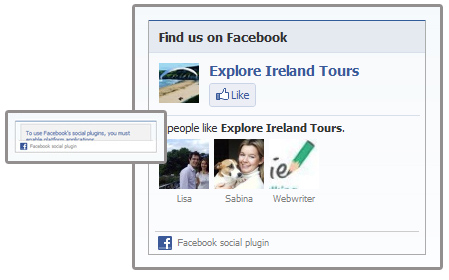
Have you found that your Facebook Like Box doesn’t appear properly on your website? You get the title but it doesn't seem to pull through any faces?
Well the problem is so much simpler than I had imagined!
The default height of the box given by Facebook is too short. The code by default sets the height to 62px but you need to change this in two places to something along the lines of 200px+ to see any faces.
This is the code needed to display it - you can see the height bolded in 2 places:
<iframe src="http://www.facebook.com/plugins/likebox.php?href=http%3A%2F%2Fwww.facebook.com%2Fpages%2F18a-Productions%2F135179649832396&amp;width=292&amp;colorscheme=light&amp; show_faces=true&amp;stream=false&amp;header=true&amp;height=62" scrolling="no" frameborder="0" style="border:none; overflow:hidden; width:292px; height:62px;" allowTransparency="true"></iframe>
14.05.24
If you're a Namesco customer with a website which hasn't had much TLC for a few years, you may have received a scary email or… Read →
29.02.24
We are delighted to announce that 18a has been recognised for its outstanding work in the "Web Design Agency of the Year - UK" category at… Read →
27.02.24
I recently had an interesting problem to solve. I'd built a brand new author website on a shiny installation of Laravel 10, utilising its out-of-the-box… Read →


